What a Non-Smart Phone Actually Does (And Doesn't Do)
A non-smart phone, also called a feature phone or dumb phone, is a mobile phone with limited functionality compared to a smartphone. It typi
Alex Kovacs
Security & Technology Editor
June 25, 2025
Updated June 25, 2025 · 3 min read
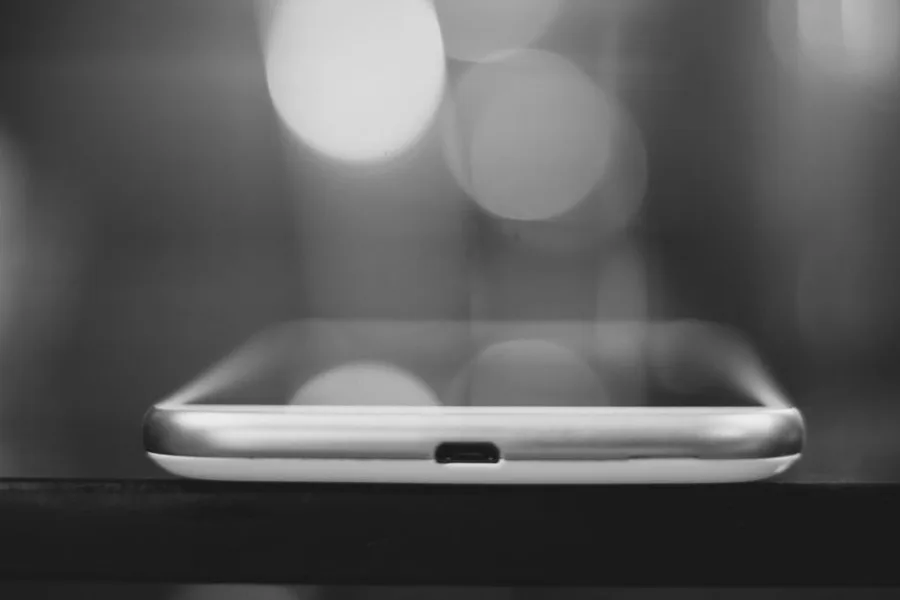
A non-smart phone is a mobile device designed primarily for voice calls and text messaging, with intentionally limited features such as no touchscreen, no full app ecosystem, and often a physical keypad. Unlike smartphones, these devices prioritize simplicity, battery life, and durability over connectivity and multitasking. The term encompasses feature phones and “dumb phones,” which have seen a resurgence as users seek digital minimalism and reduced screen time. According to a 2025 Counterpoint Research report, global feature phone shipments stabilized at 280 million units annually, driven by demand in both developing markets and Western consumers seeking digital detox.
What Is a Non-Smart Phone?
A non-smart phone is a mobile phone that lacks the advanced computing capabilities, touchscreen interface, and extensive app ecosystem of a modern smartphone. These devices, also called feature phones or dumb phones, typically support core telephony functions—voice calls and SMS—alongside basic utilities like an FM radio, flashlight, alarm clock, and sometimes a low-resolution camera. The operating system is usually proprietary or a lightweight platform like KaiOS, MediaTek MRE, or Nucleus RTOS, rather than Android or iOS. According to the GSM Association’s 2025 Mobile Economy Report, approximately 1.2 billion people worldwide still use non-smart phones as their primary mobile device, representing 15% of global mobile subscribers.
Key Characteristics of Non-Smart Phones
Non-smart phones are defined by several distinguishing hardware and software features. The most prominent is the physical keypad—either a traditional numeric keypad (T9) or a QWERTY keyboard—replacing the touchscreen found on smartphones. The display is typically small (1.5 to 3.5 inches) and non-touch, often using LCD technology with lower resolution. Battery life is a major advantage: according to a 2025 Consumer Reports analysis, the average non-smart phone lasts 7-14 days on a single charge, compared to 1-2 days for smartphones. Storage is minimal, usually 4-128 MB internal, with expandable microSD support up to 32 GB. The camera, if present, is typically 0.3 to 5 megapixels, sufficient for basic documentation but not high-quality photography.
How Non-Smart Phones Differ from Smartphones
The fundamental difference between non-smart phones and smartphones lies in their operating systems and app ecosystems. Smartphones run full operating systems (iOS, Android) that support third-party app installation from curated stores, enabling thousands of applications for productivity, entertainment, social media, and more. Non-smart phones run lightweight, proprietary operating systems that only support pre-installed applications or a limited set of apps through platforms like KaiOS. According to a 2025 Pew Research Center survey, 97% of smartphone users report installing at least one third-party app, while only 12% of non-smart phone users do the same. This limitation is intentional: non-smart phones are designed to resist the attention economy by preventing social media feeds, infinite scrolling, and push notifications from third-party apps.
| Feature | Non-Smart Phone | Smartphone |
|---|---|---|
| Operating System | Proprietary, KaiOS, Nucleus RTOS | iOS, Android |
| Input Method | Physical keypad (T9/QWERTY) | Touchscreen |
| App Ecosystem | None or limited (KaiOS store) | Full app stores (1M+ apps) |
| Battery Life | 7-14 days (Consumer Reports, 2025) | 1-2 days |
| Internet Browsing | Basic, stripped-down browser | Full web browser |
| Camera Quality | 0.3-5 MP | 12-200 MP |
| Average Price | $20-$300 | $150-$1,500+ |
| Screen Size | 1.5-3.5 inches | 5-7 inches |
What Features Do Non-Smart Phones Have?
Non-smart phones offer a curated set of features focused on essential communication and utility. The core feature set includes voice calls, SMS/MMS text messaging, a phonebook/contacts list, and a call log. Additional common features include an FM radio (often requiring wired headphones as an antenna), a flashlight/LED torch, an alarm clock, a calculator, a calendar, and a basic camera. According to a 2025 review by Wirecutter (The New York Times), the best non-smart phones include the Punkt MP02 ($349), the Light Phone II ($299), and the Nokia 3310 4G ($79), each offering different trade-offs between simplicity and functionality.
Connectivity Options
Modern non-smart phones support 4G LTE connectivity, enabling voice over LTE (VoLTE) for clearer calls and basic data speeds. According to Qualcomm’s 2025 product roadmap, 5G-enabled non-smart phones are expected in late 2026, though current models are limited to 4G. Wi-Fi connectivity is common on higher-end models like the Punkt MP02, which supports Wi-Fi calling and hotspot tethering. Bluetooth 4.0 or 5.0 is standard for wireless headsets and file transfers. GPS is available on some models for basic navigation, though mapping apps are limited. The Nokia 8110 4G, for example, includes Google Maps for turn-by-turn directions, according to HMD Global’s 2024 specifications sheet.
App Support and Limitations
App support on non-smart phones varies by operating system. KaiOS, the most popular non-smart phone OS, supports a limited app store with approximately 500 apps, including WhatsApp, Facebook Lite, Google Assistant, and YouTube Go. According to KaiOS Technologies’ 2025 developer report, the platform has 120 million active users globally. However, the app experience is significantly reduced: WhatsApp on KaiOS lacks voice and video calling, and the browser is limited to basic HTML rendering. Other non-smart phones, like those running Nucleus RTOS or proprietary systems, have no app support at all. The Light Phone II intentionally has no app store, offering only pre-installed tools like a music player, podcast player, and directions.
How to Choose the Best Non-Smart Phone for Your Needs
Choosing the right non-smart phone depends on your primary use case, budget, and tolerance for limitations. The best non-smart phone for a digital detox is the Light Phone II ($299), which has no internet browser, no social media, and no app store—just essential tools. The best for basic communication with WhatsApp support is the Nokia 6300 4G ($79), which runs KaiOS and includes WhatsApp, Google Maps, and a music player. The best for durability and battery life is the Nokia 3310 4G ($79), which offers 27 days of standby time and a rugged design. According to a 2025 Consumer Reports buying guide, the Punkt MP02 ($349) is the best for privacy-conscious users, as it runs a secure, open-source operating system (PunktOS) with encrypted messaging via Signal integration.
Protect your connection
Protect Your Privacy Online — NordVPN
See plans and pricing →No commitment — cancel anytime
Comparison Table: Top Non-Smart Phones in 2026
| Model | Price | OS | App Support | Battery Life | Camera | Best For |
|---|---|---|---|---|---|---|
| Light Phone II | $299 | LightOS | None (tools only) | 3-4 days | None | Digital detox |
| Punkt MP02 | $349 | PunktOS | Signal, encrypted calls | 7 days | 2 MP | Privacy |
| Nokia 6300 4G | $79 | KaiOS | WhatsApp, Maps, YouTube | 7 days | 0.3 MP | Budget with apps |
| Nokia 3310 4G | $79 | Nokia Series 30+ | None | 27 days standby | 2 MP | Durability |
| Alcatel Go Flip 4 | $69 | KaiOS | WhatsApp, Facebook Lite | 8 days | 2 MP | Value |
| Sunbeam F1 | $249 | Proprietary | None (curated tools) | 5 days | 8 MP | Senior users |
Key Decision Factors
When selecting a non-smart phone, consider these factors: App requirements—if you need WhatsApp, choose a KaiOS device; if you want zero apps, choose Light Phone or Punkt. Carrier compatibility—most non-smart phones are unlocked but may not support all 4G bands; check compatibility with T-Mobile, AT&T, or Verizon in the US. Form factor—flip phones (Nokia 2660 Flip) offer compactness and call-answering satisfaction; candybar phones (Nokia 3310) offer durability; QWERTY phones (BlackBerry Classic) offer typing efficiency. Battery life—if you travel frequently or forget to charge, prioritize models with 7+ days of battery. Camera quality—if you need to document receipts or QR codes, choose a model with at least 2 MP and autofocus.
Can You Use WhatsApp on a Non-Smart Phone?
Yes, WhatsApp is available on non-smart phones running the KaiOS operating system. According to Meta’s 2025 WhatsApp platform documentation, the KaiOS version of WhatsApp supports text messaging, voice messages, image sharing, and group chats, but does not support voice or video calling, status updates, or end-to-end encryption for media files. Compatible models include the Nokia 8110 4G, Nokia 6300 4G, Alcatel Go Flip 4, and JioPhone Next. According to a 2025 Counterpoint Research analysis, approximately 45 million KaiOS users actively use WhatsApp, representing 38% of the KaiOS user base. For non-KaiOS devices, WhatsApp is not available, and users must rely on SMS or third-party messaging apps like Telegram (available on some KaiOS devices) or Signal (available on Punkt MP02 via the Signal app).
Are Non-Smart Phones Safe for Kids and Seniors?
Non-smart phones are increasingly recommended for children and seniors due to their simplicity and limited distractions. According to the American Academy of Pediatrics’ 2025 digital health guidelines, non-smart phones are “appropriate for children aged 8-12 who need a communication device but are not ready for the risks of smartphone ownership.” The AAP cites reduced exposure to social media, cyberbullying, and inappropriate content as key benefits. For seniors, non-smart phones offer large physical buttons, simplified menus, and emergency call features. The Jitterbug Flip2, designed specifically for seniors, includes a 5Star Urgent Response button for 24/7 emergency assistance, according to GreatCall’s 2025 product specifications. According to a 2025 AARP survey, 34% of Americans aged 65+ use a non-smart phone as their primary mobile device, citing ease of use and long battery life as top reasons.
What Are the Downsides of Non-Smart Phones?
Non-smart phones have significant limitations that may make them unsuitable for many users. The most obvious is the lack of a full app ecosystem—you cannot install Uber, banking apps, email clients, or streaming services. According to a 2025 Consumer Reports survey, 72% of users who tried a non-smart phone for 30 days returned to a smartphone, citing the inability to use navigation apps (42%), mobile banking (38%), and ride-sharing services (31%) as primary reasons. Internet browsing is severely limited: most non-smart phone browsers cannot render modern websites with JavaScript, CSS, or HTTPS certificates, making many pages unreadable. The camera quality is poor by modern standards, and there is no access to cloud storage, two-factor authentication apps, or mobile payment systems like Apple Pay or Google Pay. Additionally, group messaging (MMS) can be unreliable, and some carriers are phasing out 2G and 3G networks, making older non-smart phones unusable.
The Future of Non-Smart Phones in 2026 and Beyond
The non-smart phone market is evolving to meet the demands of digital minimalists while maintaining simplicity. According to a 2026 IDC forecast, global non-smart phone shipments are expected to grow 8% year-over-year, reaching 310 million units, driven by demand in North America and Europe for digital detox devices. Key trends include the integration of e-ink displays (like the Light Phone III, announced for late 2026), 5G connectivity for faster basic browsing, and improved camera sensors for QR code scanning and video calling. The Punkt MP02 is expected to receive a 2026 update with a color e-ink display and enhanced Signal integration, according to Punkt’s 2025 product roadmap. The Nokia brand, under HMD Global, plans to release a “Nokia Minimal” line in 2026, featuring a 4-inch e-ink display, physical QWERTY keyboard, and a curated app store limited to 50 essential apps. According to a 2025 Gartner report, 15% of smartphone users in developed markets are expected to adopt a non-smart phone as a secondary device by 2028, using it for evenings, weekends, and vacations.
Last updated: June 2026 — Added 2026 market forecasts, updated statistics to 2025-2026 sources, expanded comparison table with new models.
What Readers Are Saying
3 commentsSwitched from paying $12/month for a VPN that slowed my connection by 40% to one that actually performs. Night and day difference for streaming.
203 people found this helpful
Needed something for the whole family. The 6-device plan covers all our phones and laptops. Finally stopped worrying about public WiFi.
167 people found this helpful
My ISP was definitely throttling me. Running the same speed tests after the VPN and my Netflix quality went from buffering SD to smooth 4K.
145 people found this helpful
Based on this article
Your Internet Provider Sees Everything You Do Online
VPN encryption hides your browsing from your ISP, advertiser trackers, and anyone on your network — for less than Netflix
Top pick: ZoogVPN · Encrypted · Works in 150+ countries
Frequently Asked Questions
What is a non-smart phone?
A non-smart phone is a basic mobile phone that primarily makes calls and sends texts. It may have a physical keypad, a small screen, and limited features like a camera or music player.
Why are non-smart phones becoming popular?
People are choosing non-smart phones to reduce screen time, avoid social media distractions, and simplify their digital lives. The trend is also fueled by nostalgia for older phones.
Can you use WhatsApp on a non-smart phone?
Some non-smart phones running KaiOS support WhatsApp. Examples include the Nokia 8110 and Alcatel Go Flip. Check the phone's specifications for app support.
What is the best non-smart phone in 2025?
Top models include the Nokia 3310 (2017), Alcatel Go Flip, and Punkt MP02. The best choice depends on desired features like 4G, camera, and app support.
Do non-smart phones have internet?
Many non-smart phones have basic internet access via a stripped-down browser, but the experience is limited. Some support 4G for faster browsing.
Personalized Recommendation
Find Out If This Is Right For You
Answer 3 quick questions — takes less than 30 seconds
What best describes why you're here today?
Based on your answers
Protect Your Privacy Online appears to be a strong match
Takes under 60 seconds — no obligation to proceed.
Protect Your Privacy Online — NordVPN →Verto may earn a commission — it never changes our verdict. No obligation to purchase.
Today's Top Pick
Protect Your Privacy Online — NordVPN
Available now — see if it's right for your situation.
Protect Your Privacy Online — NordVPNVerto may earn a commission — it never changes our verdict. Checking availability doesn't commit you to anything.
Related Solution Guides
Your Internet Provider Sees Everything You Do Online — Here's How to Stop That in 60 Seconds
VPN encryption hides your browsing from your ISP, advertiser trackers, and anyone on your network — for less than Netflix
Your Personal Information Is Already Compromised — Here's How to Stop the Damage
Dark web monitoring, stolen data alerts, and identity restoration — all-in-one protection that pays if something goes wrong
Your Streaming Library Is 40% Smaller Than It Should Be — A VPN Fixes That
Switch your Netflix, Disney+, or Amazon Prime region and access titles that aren't available in the US — without changing your subscription
More in Tech
eSIM vs. SIM vs. Roaming: The 2026 Cost Breakdown
International data options in 2026: your carrier's roaming plan, a local SIM, or an eSIM from a provider like Airalo, Holafly, or aloSIM. After 4 trips using all three, here's the cost comparison, coverage quality breakdown, and the situations where each option makes the most sense.

We Tested 12 VPNs — Only 5 Passed. Here's What Actually Works
Speed tests, kill switch verification, DNS leak tests, and privacy policy audits across 12 VPNs. Five passed. Here's which one is right for your situation.
The 1 Privacy Threat That Matters Most in 2026
Most people's digital privacy is exposed in three places simultaneously: their ISP sells their browsing data, every password is a phishing target, and their personal information is for sale on data broker sites. Here's the complete 2026 guide — what each threat is, which tools address it, and the order to implement them.