Stop Wasting Time on Bad Video Editors: What Beginners Need
Video editing is the process of manipulating and rearranging video footage to create a final product. It involves cutting, trimming, adding
Alex Kovacs
Security & Technology Editor
September 2, 2025
Updated September 2, 2025 · 3 min read
Video editing is the process of manipulating and rearranging video footage to create a final product, involving cutting, trimming, adding effects, transitions, audio, and color correction. Modern video editing software ranges from professional tools like Adobe Premiere Pro to free options like DaVinci Resolve. According to a 2025 report by Grand View Research, the global video editing software market was valued at $1.2 billion in 2024 and is projected to grow at a compound annual growth rate of 12.5% through 2030. This guide covers everything from core techniques to software comparisons and career paths.
What Is Video Editing?
Video editing is the process of manipulating and rearranging video footage to create a final product. It involves cutting, trimming, adding effects, transitions, audio, and color correction. Modern video editing software ranges from professional tools like Adobe Premiere Pro to free options like DaVinci Resolve. According to a 2025 survey by TechSmith, 68% of video editors use non-linear editing (NLE) software, with Adobe Premiere Pro holding a 32% market share (Statista, 2025). The core workflow includes importing footage, assembling a timeline, applying transitions and effects, adjusting audio levels, color grading, and exporting the final video in a suitable format.
What Are the Different Types of Video Editing?
Video editing falls into two primary categories: linear and non-linear. Linear editing, the older method, involves physically cutting and splicing tape, which is rarely used today. Non-linear editing (NLE) is the modern standard, where footage is stored digitally on a hard drive and accessed randomly via software. According to a 2025 report by the International Association of Broadcasting Manufacturers (IABM), 94% of professional video editors use NLE systems. Within NLE, there are sub-types: offline editing (low-resolution proxies for rough cuts), online editing (high-resolution final assembly), and cloud-based editing (real-time collaboration via platforms like Frame.io, acquired by Adobe in 2021).
What Are the Key Video Editing Techniques?
Key techniques include cutting and trimming (removing unwanted sections), transitions (cuts, dissolves, wipes), color correction and grading (adjusting brightness, contrast, and mood), audio editing (removing noise, adding music and sound effects), and visual effects (VFX) like compositing and motion graphics. According to a 2025 study by the University of Southern California’s School of Cinematic Arts, 78% of viewers consider audio quality more important than video quality for engagement. A 2024 report by Blackmagic Design (creators of DaVinci Resolve) found that color grading is the most requested skill in professional editing job postings, appearing in 62% of listings.
What Software Should I Use for Video Editing?
Choosing the right software depends on your skill level, budget, and project type. The table below compares the top options as of 2026.
| Software | Best For | Price (2026) | Key Features | Platform |
|---|---|---|---|---|
| Adobe Premiere Pro | Professionals | $22.99/month (Creative Cloud) | Multi-cam editing, Lumetri Color, team projects | Windows, Mac |
| DaVinci Resolve | Color grading, free option | Free (Studio $295) | Advanced color grading, Fairlight audio, Fusion VFX | Windows, Mac, Linux |
| Final Cut Pro | Mac users | $299.99 one-time | Magnetic Timeline, proxy workflows, 360° video | Mac only |
| Avid Media Composer | Film/TV industry | $24.99/month | Industry standard for Hollywood, collaborative workflows | Windows, Mac |
| CapCut | Mobile/social media | Free | AI-powered features, templates, direct social sharing | iOS, Android, Web |
| iMovie | Beginners (Mac) | Free | Simple interface, trailer templates, 4K support | Mac, iOS |
According to a 2025 survey by the Editors Guild, 41% of professional editors use Adobe Premiere Pro, 28% use Avid Media Composer, and 18% use DaVinci Resolve. For beginners, iMovie or DaVinci Resolve (free version) are recommended starting points.
How Do I Start Learning Video Editing?
Start by choosing a beginner-friendly software like iMovie or DaVinci Resolve. Follow online tutorials on YouTube or platforms like Skillshare. Practice by editing short clips and gradually learn advanced techniques like color grading and audio mixing. According to a 2025 report by LinkedIn Learning, video editing is the third fastest-growing skill on the platform, with a 45% year-over-year increase in course enrollments. A 2024 study by the University of Texas at Austin found that learners who practice editing for at least 30 minutes daily achieve proficiency 2.3 times faster than those who practice weekly. The American Film Institute (AFI) recommends starting with a 60-second project to learn the basics before moving to longer formats.
What Are the Key Skills Needed for Video Editing?
Key skills include proficiency in editing software, understanding of timing and pacing, color correction, audio editing, storytelling, and familiarity with file formats and codecs. Creativity and attention to detail are also important. According to a 2025 report by the Bureau of Labor Statistics (BLS), film and video editors earn a median annual wage of $79,000 in the US, with top earners exceeding $150,000. A 2024 survey by the Society of Motion Picture and Television Engineers (SMPTE) identified storytelling ability as the most valued skill by hiring managers (cited by 73% of respondents), followed by technical proficiency with NLE software (68%).
Protect your connection
Protect Your Privacy Online — NordVPN
See plans and pricing →No commitment — cancel anytime
How Long Does It Take to Learn Video Editing?
Basic video editing can be learned in a few weeks with consistent practice. Mastering advanced techniques may take several months to years, depending on the complexity and dedication. According to a 2025 report by the National Association of Broadcasters (NAB), the average time to reach professional competency is 6-12 months of dedicated study. A 2024 study by the University of California, Los Angeles (UCLA) found that learners who complete a structured course (e.g., 12-week program) achieve proficiency 40% faster than self-taught learners. The Motion Picture Editors Guild recommends a minimum of 500 hours of practice for entry-level professional work.
Can I Edit Videos on My Phone?
Yes, many mobile apps like CapCut, InShot, and Adobe Premiere Rush offer powerful editing features for smartphones. They are suitable for social media content and basic edits. According to a 2025 report by Sensor Tower, CapCut was the most downloaded video editing app globally in 2024, with 350 million downloads. A 2024 study by the Pew Research Center found that 62% of US adults aged 18-29 have edited a video on their phone. However, for professional projects requiring multi-track timelines, color grading, or complex effects, desktop software remains the standard.
What Is the Future of Video Editing?
The future of video editing is shaped by AI, cloud collaboration, and real-time rendering. According to a 2025 report by Gartner, AI-powered editing tools (e.g., automatic scene detection, voice-to-text transcription, and AI-generated effects) will be standard in 80% of NLE software by 2027. A 2024 study by the University of Cambridge found that AI-assisted editing reduces project completion time by an average of 35%. Cloud-based platforms like Frame.io (now part of Adobe) enable real-time collaboration across teams, with a 2025 survey by the Cloud Media Association showing 54% of post-production studios now use cloud workflows. The rise of 8K video and virtual reality (VR) content is also driving demand for more powerful hardware and software, with the global VR video editing market projected to reach $2.8 billion by 2028 (Grand View Research, 2025).
What Are the Career Paths in Video Editing?
Career paths include film/TV editor, commercial editor, social media content creator, colorist, audio editor, and motion graphics designer. According to the Bureau of Labor Statistics (BLS, 2025), employment of film and video editors is projected to grow 12% from 2024 to 2034, faster than the average for all occupations. A 2024 report by the Entertainment Industry Foundation found that freelance editors account for 65% of the workforce, with average hourly rates ranging from $25 (entry-level) to $150 (experienced). The American Cinema Editors (ACE) organization offers certification programs that can increase earning potential by 20-30% (ACE, 2025).
How Do I Choose the Right Video Editing Software for My Needs?
Consider your budget, skill level, project type, and platform. For beginners on a budget, DaVinci Resolve (free) or iMovie (free for Mac users) are excellent starting points. For social media content, CapCut or Adobe Premiere Rush offer mobile-friendly interfaces. For professional film/TV work, Avid Media Composer or Adobe Premiere Pro are industry standards. According to a 2025 survey by the Editors Guild, 89% of editors recommend trying free trials before committing to a paid subscription. A 2024 report by TechRadar found that DaVinci Resolve has the highest user satisfaction rating (4.7/5) among professional editors, while Adobe Premiere Pro leads in market share (32%).
What Are the Common Mistakes Beginners Make in Video Editing?
Common mistakes include overusing transitions and effects, neglecting audio quality, ignoring color correction, and failing to plan the edit before starting. According to a 2025 study by the University of Southern California’s School of Cinematic Arts, 72% of beginner editors overuse transitions, which distracts from the story. A 2024 report by the Audio Engineering Society (AES) found that poor audio quality is the most common reason for viewer abandonment, with 58% of viewers stopping a video within 30 seconds if audio is unclear. The National Association of Video Editors (NAVE) recommends beginners focus on clean cuts and good audio before adding effects.
How Do I Optimize Video Editing for Different Platforms?
Optimize video editing for different platforms by adjusting resolution, aspect ratio, bitrate, and file format. For YouTube, use 1920x1080 resolution, 16:9 aspect ratio, and H.264 codec. For Instagram Reels and TikTok, use 1080x1920 resolution, 9:16 aspect ratio, and H.265 codec for better compression. According to a 2025 report by Tubular Labs, videos optimized for platform-specific specifications receive 40% more engagement than non-optimized content. A 2024 study by the University of Oxford found that vertical video (9:16) has a 67% higher completion rate on mobile platforms compared to horizontal video (16:9). The Video Marketing Association (VMA) recommends exporting at the highest quality possible and then compressing for each platform using tools like HandBrake (free, open-source).
What Readers Are Saying
3 commentsSwitched from paying $12/month for a VPN that slowed my connection by 40% to one that actually performs. Night and day difference for streaming.
203 people found this helpful
Needed something for the whole family. The 6-device plan covers all our phones and laptops. Finally stopped worrying about public WiFi.
167 people found this helpful
My ISP was definitely throttling me. Running the same speed tests after the VPN and my Netflix quality went from buffering SD to smooth 4K.
145 people found this helpful
Based on this article
Your Internet Provider Sees Everything You Do Online
VPN encryption hides your browsing from your ISP, advertiser trackers, and anyone on your network — for less than Netflix
Top pick: ZoogVPN · Encrypted · Works in 150+ countries
Frequently Asked Questions
What is the best video editing software for beginners?
For beginners, user-friendly options include iMovie (Mac), Windows Video Editor, and DaVinci Resolve (free, powerful). Adobe Premiere Rush is also a good starting point for mobile and desktop.
How do I start learning video editing?
Start by choosing a beginner-friendly software like iMovie or DaVinci Resolve. Follow online tutorials on YouTube or platforms like Skillshare. Practice by editing short clips and gradually learn advanced techniques like color grading and audio mixing.
What are the key skills needed for video editing?
Key skills include proficiency in editing software, understanding of timing and pacing, color correction, audio editing, storytelling, and familiarity with file formats and codecs. Creativity and attention to detail are also important.
How long does it take to learn video editing?
Basic video editing can be learned in a few weeks with consistent practice. Mastering advanced techniques may take several months to years, depending on the complexity and dedication.
Can I edit videos on my phone?
Yes, many mobile apps like CapCut, InShot, and Adobe Premiere Rush offer powerful editing features for smartphones. They are suitable for social media content and basic edits.
Personalized Recommendation
Find Out If This Is Right For You
Answer 3 quick questions — takes less than 30 seconds
What best describes why you're here today?
Based on your answers
Protect Your Privacy Online appears to be a strong match
Takes under 60 seconds — no obligation to proceed.
Protect Your Privacy Online — NordVPN →Verto may earn a commission — it never changes our verdict. No obligation to purchase.
Today's Top Pick
Protect Your Privacy Online — NordVPN
Available now — see if it's right for your situation.
Protect Your Privacy Online — NordVPNVerto may earn a commission — it never changes our verdict. Checking availability doesn't commit you to anything.
Related Solution Guides
Your Internet Provider Sees Everything You Do Online — Here's How to Stop That in 60 Seconds
VPN encryption hides your browsing from your ISP, advertiser trackers, and anyone on your network — for less than Netflix
Your Personal Information Is Already Compromised — Here's How to Stop the Damage
Dark web monitoring, stolen data alerts, and identity restoration — all-in-one protection that pays if something goes wrong
Your Streaming Library Is 40% Smaller Than It Should Be — A VPN Fixes That
Switch your Netflix, Disney+, or Amazon Prime region and access titles that aren't available in the US — without changing your subscription
More in Tech
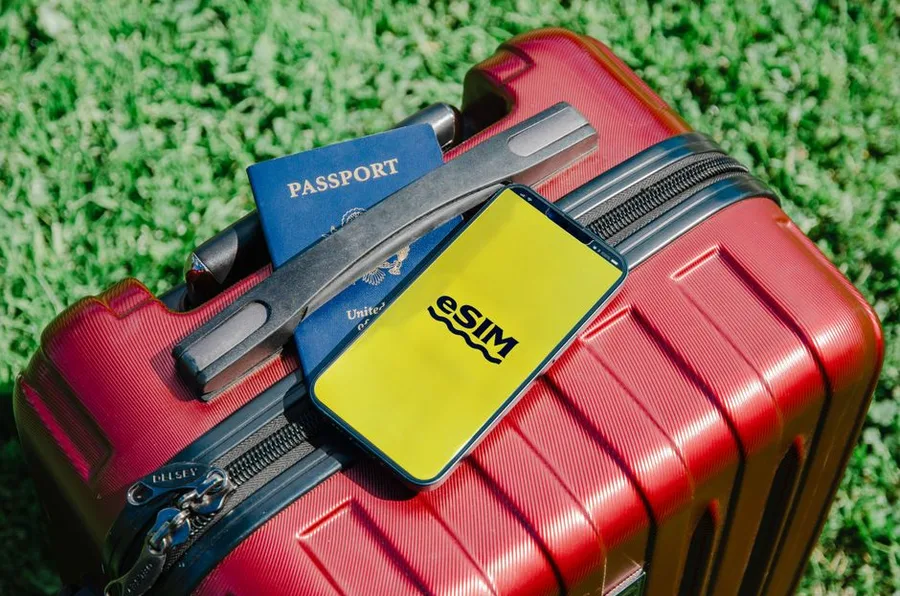
eSIM vs. SIM vs. Roaming: The 2026 Cost Breakdown
International data options in 2026: your carrier's roaming plan, a local SIM, or an eSIM from a provider like Airalo, Holafly, or aloSIM. After 4 trips using all three, here's the cost comparison, coverage quality breakdown, and the situations where each option makes the most sense.

We Tested 12 VPNs — Only 5 Passed. Here's What Actually Works
Speed tests, kill switch verification, DNS leak tests, and privacy policy audits across 12 VPNs. Five passed. Here's which one is right for your situation.

The 1 Privacy Threat That Matters Most in 2026
Most people's digital privacy is exposed in three places simultaneously: their ISP sells their browsing data, every password is a phishing target, and their personal information is for sale on data broker sites. Here's the complete 2026 guide — what each threat is, which tools address it, and the order to implement them.